Build the messaging environment that fits your operation
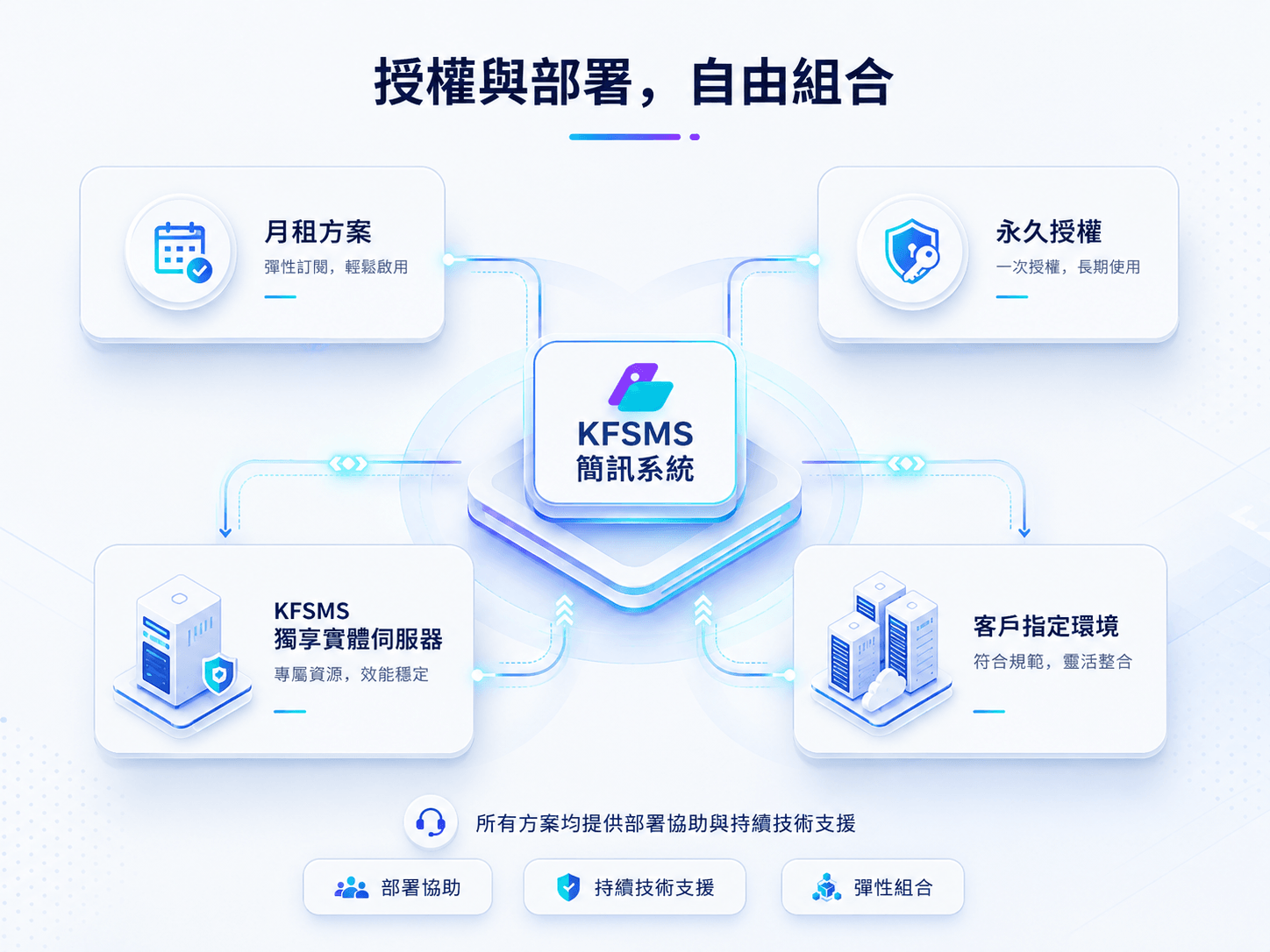
Combine licensing and infrastructure around budget, data control and maintenance requirements. Customer-managed deployments include ongoing system support; with a KFSMS dedicated server, we also configure the environment for messaging workloads and continue handling server and network issues.
Both models provide the complete KFSMS system and support for system issues. Choose according to investment timing and long-term plans.
Flexible start
Monthly subscription
Lower the initial investment and launch sooner
Use KFSMS month by month with maintenance and technical support included, giving growing teams more financial flexibility.
Monthly KFSMS use
Routine maintenance and issue assistance
Ongoing standard updates
7x24 technical issue intake
The monthly fee excludes servers and messaging channels. A KFSMS dedicated server can be added separately.
Long-term ownership
Perpetual license
Secure long-term use with one license purchase
Purchase a perpetual KFSMS license with ongoing standard version upgrades and greater freedom over deployment and migration.
Perpetual KFSMS license
Ongoing standard version upgrades
Unlimited deployments
Flexible system migration
System support remains available. Server and messaging channel fees are separate.
Step 02Deployment choice
Run KFSMS in your environment or let us manage the infrastructure
Deploy KFSMS in your facility, cloud, IDC or designated server, or choose a dedicated physical server that we configure for messaging workloads, deploy, host and maintain.
Managed option
KFSMS dedicated-server deployment
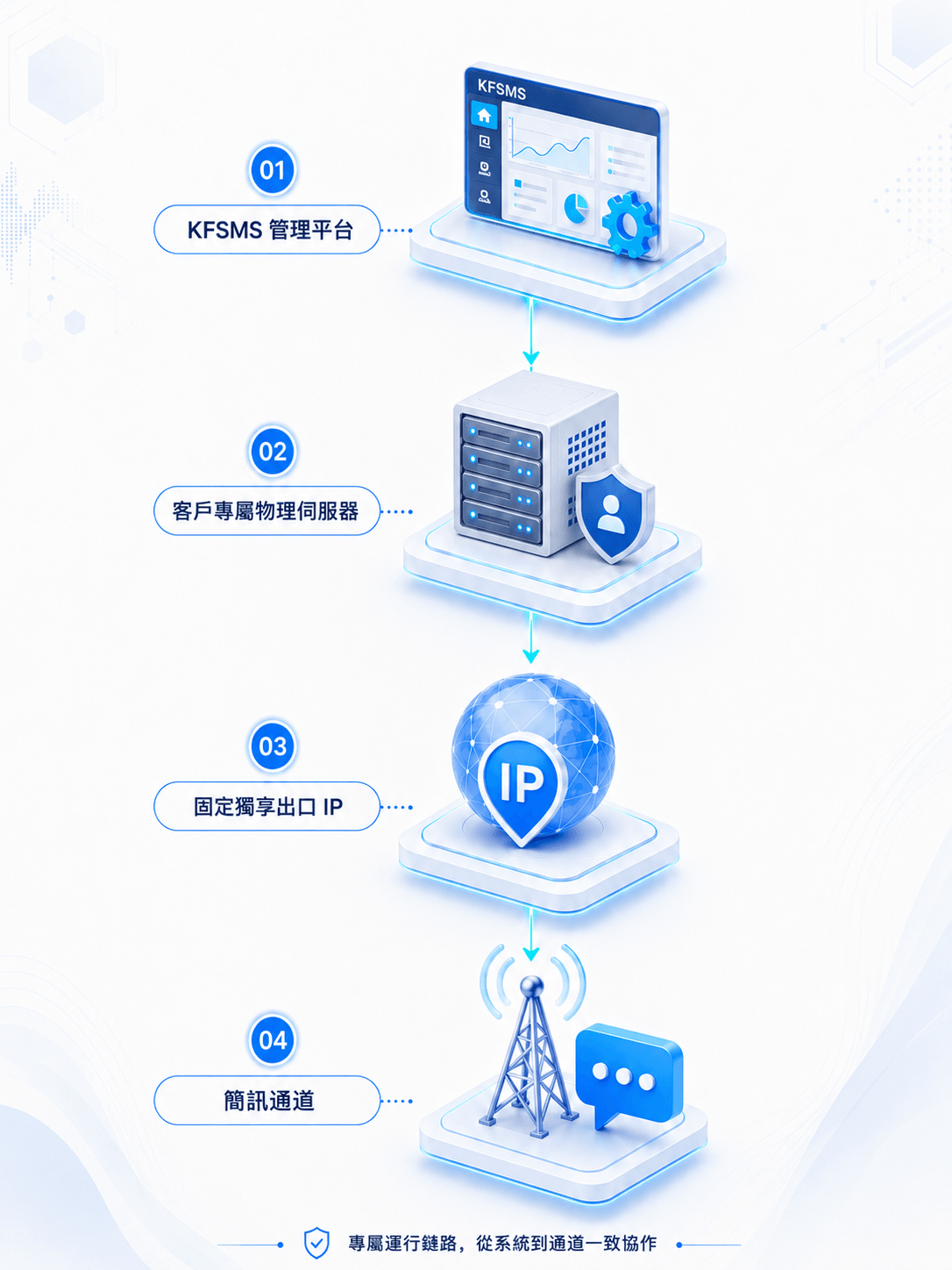
Use dedicated physical hardware configured and optimized for KFSMS messaging workloads, with deployment, a fixed outbound IP and ongoing maintenance provided through a KF facility.
Messaging-specific configuration and dedicated resources
Fixed dedicated outbound IP with customer-owned hardware
System, server and network issue assistance
Best suited to
Teams that want one team to manage deployment and ongoing support across the system, hardware and network.
Deployment in your environment
Use your own data center, public cloud, existing IDC or designated server while KFSMS assists with environment review, deployment and launch.
Customer chooses the deployment location
Continue using existing infrastructure
Ongoing support for KFSMS system issues
Best suited to
Teams with existing server or cloud resources that want to retain infrastructure control.
Messaging channel fees are separate. Server, network and hosting specifications are recommended according to actual operating scale.
KFSMS dedicated server
A dedicated server tuned for messaging, supported by one team from deployment onward
A KF operated facility configures physical servers around KFSMS task scheduling, data processing and network requirements, then completes system deployment and outbound IP setup. The same team remains available for system, hardware and network troubleshooting after launch.
Dedicated and workload-specific
Run KFSMS and business data on non-shared hardware with an environment adjusted for messaging tasks, data and connections.
Fixed dedicated outbound IP
Use a dedicated outbound address that can be adjusted when network and business requirements change.
Customer-owned hardware
The customer owns the server after purchase while KFSMS continues to provide hosting and maintenance.
Coordinated software and hardware support
Our professional technical team helps diagnose system, server and network issues across the full environment.
Implementation and support
Work with an experienced team from environment review to launch
Whether KFSMS runs in your environment or on a dedicated server, our team assists with deployment and launch and continues to address system issues in operation.
Step 01
Confirm requirements
Review the business model, expected scale, licensing and target launch date.
Step 02
Choose deployment
Select your designated environment or a KFSMS dedicated server.
Step 03
Prepare the environment
Check server and network conditions and complete the required IP configuration.
Step 04
Deploy the system
Install KFSMS and configure accounts, channels and core capabilities.
Step 05
Validate launch
Review system workflows, network connectivity and messaging steps together.
Step 06
Continue support
Receive version upgrades, troubleshooting and technical response after launch.
Launch is not the end of support
System issue handling
Identify KFSMS operating exceptions and follow issues through resolution.
Deployment and migration
Assist with environment changes, redeployment and system migration.
Version upgrades
Provide standard KFSMS version upgrades and deployment assistance.
7x24 technical response
Accept technical issues around the clock for assessment and troubleshooting.
Pricing and deployment
Four questions to identify the right combination
01
Reduce the initial investment?
Choose monthly licensing with maintenance and technical support included.
02
Planning for long-term use?
Choose a perpetual license with ongoing standard version upgrades.
03
Already have servers or cloud resources?
Deploy in your designated environment and retain infrastructure control.
04
Prefer one team for deployment and maintenance?
Use a KFSMS dedicated server configured for messaging workloads, with deployment and ongoing software, hardware and network assistance handled together.
FAQ
Pricing and deployment questions
KFSMS can run in your data center, public cloud, IDC or another designated server, or on a dedicated physical server hosted by KFSMS.
Yes. KFSMS system issues are supported in both models. The dedicated-server plan also includes hardware, network and hosting assistance.
In addition to dedicated customer hardware and a fixed outbound IP, the environment is configured around KFSMS task scheduling, data processing and network requirements. The same team can then assist with system, server and network issues after launch.
The customer owns the physical server. KFSMS provides facility hosting, environment deployment and ongoing maintenance.
A KFSMS dedicated server can use a fixed dedicated outbound IP, with changes or adjustments arranged when network requirements evolve.
Monthly licensing includes software use, routine maintenance and technical response. Server and messaging channel fees are separate.
It includes standard version upgrades, repeated deployment and flexible migration as the operating environment changes.
Technical issues can be raised around the clock for assessment and troubleshooting by our professional technical team.
Next step
Plan connectivity and deployment around your channels and operating scale
Review protocol access, multimedia messaging, two-way conversations, task scheduling and operational controls, then evaluate the right server, license and support model.