
Fragmented connectivity
Notifications, verification and campaigns use separate integrations and increase maintenance work.
Enterprise messaging center
Connect KFSMS to existing business systems and manage SMS, multimedia messaging, batch tasks and customer replies with a deployment model that fits your data requirements.

Enterprise priorities
Multiple business systems and data requirements call for consistent access, clear workflows and a controllable operating environment.
Notifications, verification and campaigns use separate integrations and increase maintenance work.
A one-way notification can interrupt the service process when customers need to respond.
Servers, outbound IPs, data location and maintenance are not planned together.
Connect systems and operators through HTTP, API, SMPP or Web.
Use inbound reception and two-way conversations for appointments, orders and service.
Choose customer infrastructure or dedicated physical resources with a fixed outbound IP.
Enterprise use cases
Each workflow has different triggers, customer actions and follow-up requirements. Combine API access, scheduling, batch sending and two-way SMS around the actual process.
Prioritize timely information, with customer replies enabled when the service process requires them.
Recommended capabilities
Recommended capabilities
Use two-way SMS when the customer needs to provide a clear answer or additional information.
Recommended capabilities
Recommended capabilities
Keep both message directions when continued communication and service context matter.
Recommended capabilities
Recommended capabilities
Recommended capability set
Configure the primary capabilities required across enterprise notification and service workflows.
Trigger messages from membership, order, appointment and service systems.
Import lists and arrange execution for notifications and campaigns.
Combine images and text for richer event and service content.
Receive replies and retain inbound and outbound history by number.
Review queues, progress and results returned by channels.
Analyze usage by department, account, task and time.
Enterprise messaging workflow
KFSMS sits between enterprise systems and messaging channels to create, schedule and record tasks and inbound replies.
Orders, members, appointments or service workflows request a message.
Validate account and content and place the work in the queue.
Submit SMS or multimedia content according to destination and channel conditions.
Store channel states and customer replies for review and follow-up.
Product interface
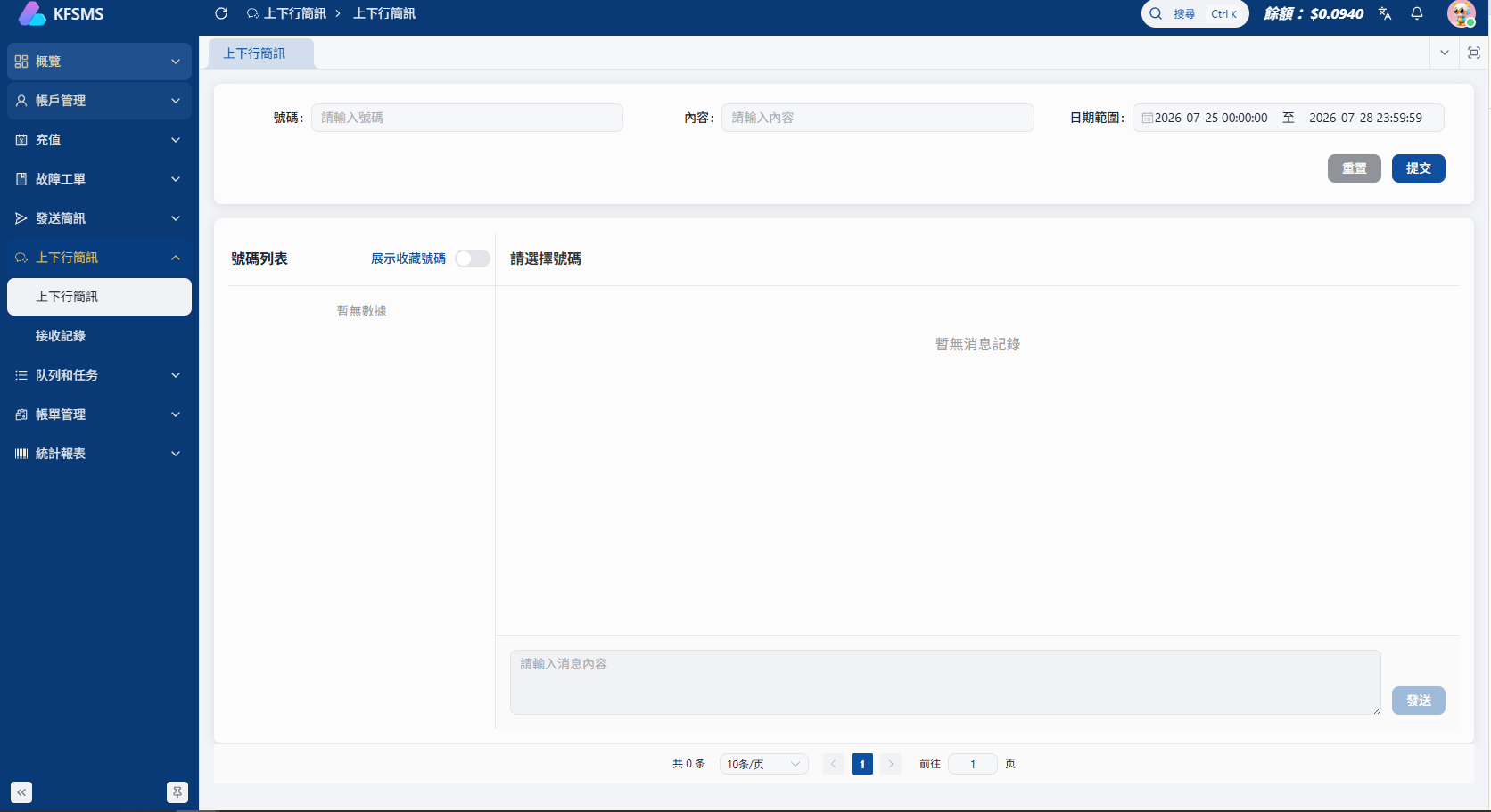
Review inbound and outbound messages, received time and reply history by number.
Deployment guidance
The workspace remains consistent while deployment can follow existing infrastructure, data controls and maintenance ownership.
Compare deployment optionsValidate the workflow with less initial environment preparation.
Continue using existing servers, networks and internal management.
Use customer-owned physical hardware, a fixed outbound IP and ongoing maintenance.
FAQ
Share your current systems, target markets, message types and deployment requirements so we can prepare a relevant demonstration.