
Web access
01Create accounts, recipient lists and sending tasks directly in the browser workspace.
System features
Connect upstream and downstream systems through multiple protocols, then manage SMS, multimedia messaging, two-way conversations, high-throughput scheduling and operational exceptions from one platform.
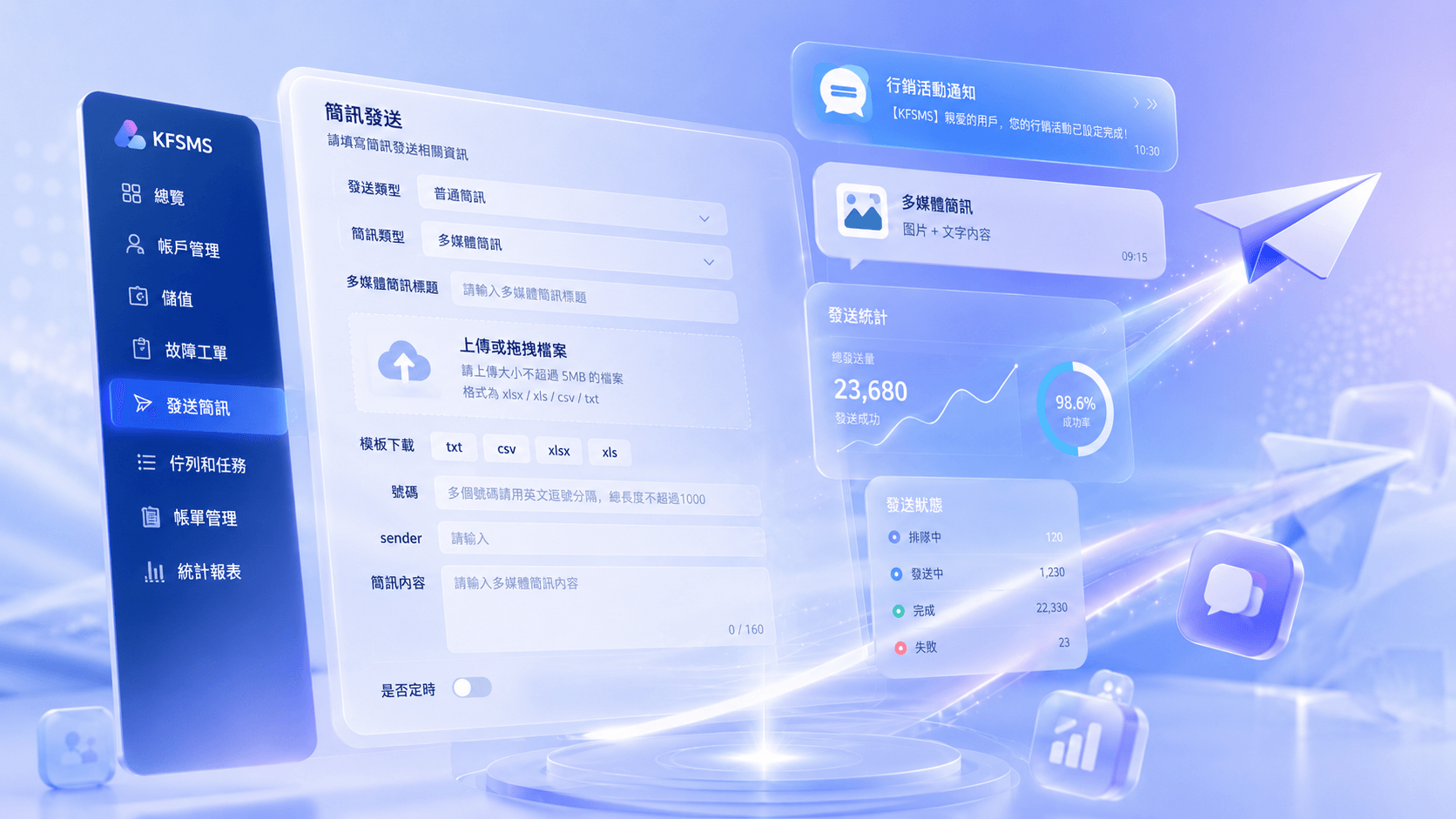
Capability map
Review how KFSMS supports channel access, sending, customer operations, two-way engagement, operational protection and reporting.
Product interface
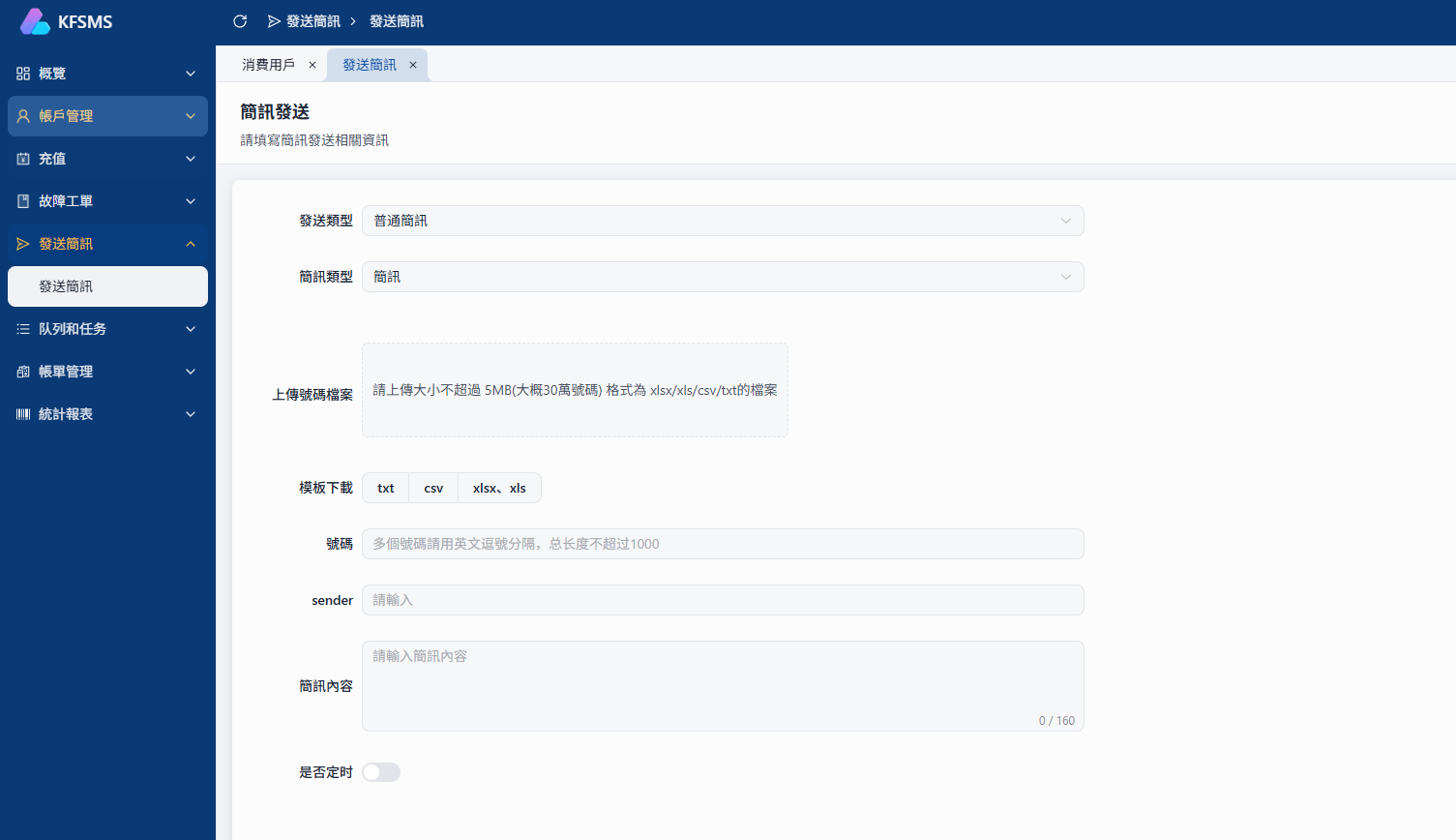
The current KFSMS sending workspace supports method selection, number import, content editing and scheduled execution.
01
Connect messaging suppliers, service customers and existing business systems with a clear route to launch.
Create accounts, recipient lists and sending tasks directly in the browser workspace.
Connect upstream and downstream SMPP services according to partner requirements.
Let existing systems submit messages and receive the required processing status.
Configure connections, accounts and service conditions for different operating roles.
02
Create tasks for immediate notices, high-volume campaigns and richer multimedia scenarios.
Create notification, verification, marketing and service messages.
Use image and text content for more expressive communication scenarios.
Upload recipient files and prepare large-volume sending tasks.
Arrange execution time in advance to match business events.
03
Support enterprise use, reseller operations and platform services with structured customer and commercial records.
Create customer accounts and configure status and available services.
Manage top-ups, balances and credit adjustments for daily reconciliation.
Retain task, consumption and service-use records by account.
Review billing records for reseller and service-provider operations.
04
Receive customer replies and organize inbound and outbound messages by number so follow-up remains connected.
Explore two-way SMSStore the source number, message content and received time.
Group both message directions into one readable customer timeline.
Continue the conversation by creating a new outbound message.
Find records and identify replies that still need attention.
05
Use tasks, queues and configurable policies to handle scale and respond quickly to channel exceptions.
Testing has reached 10,000-level concurrency and more than 100 million messages per day.
Reprocess failed work according to configured rules.
Pause repeatedly failing channels to reduce continuing impact.
Apply replacement, blocking and other required sending rules.
06
Follow live task progress and analyze account, task and channel activity across useful dimensions.
Review queued, processing, completed and failed task states.
Receive and query message-processing results returned by channels.
Review inbound source, content and received time.
Analyze messaging and usage by account, channel, task and time.
Beyond the sending interface, KFSMS covers channel connectivity, operational protection and capacity planning to support stable day-to-day service.
Plan access through Web, SMPP, HTTP and API according to partner conditions.
Use retry, channel sleep and content controls to reduce operating risk.
Choose customer-managed or dedicated-server deployment as sending volume grows.
Next step
Review protocol access, multimedia messaging, two-way conversations, task scheduling and operational controls, then evaluate the right server, license and support model.